
WIO - Guide to Dubai's New Digital Bank

  1. Introduction
  2. Starting Your WIO Business Account Setup
  3. Supported Business Types
  4. Unsupported Business Types
  5. Subscription Plans with WIO Bank
  6. Monthly Account Fees
  7. Uploading Required Business Documents
  8. Personalized Support
  9. Leveraging WIO Bank for Business Growth
  10. Conclusion

Introduction

Expanding your business in Dubai has often meant navigating complex banking processes. Over the past year, WIO Bank has revolutionized this landscape by offering a fully digital solution for business banking. This guide by Vanguard Founder provides you with step-by-step instructions to set up your WIO Bank account seamlessly and efficiently.

Starting Your WIO Business Account Setup

Getting started is easy. Download the WIO Business app via the App Store. Follow these steps:

  • Enter your personal details.
  • Specify your role in the company.
  • Provide your business name as it appears on your trade license.


Supported Business Types

WIO Bank caters to the following:

  • Sole proprietors or individuals authorized to manage company accounts.
  • Businesses with joint authorization to operate accounts.
  • Freelancers holding valid permits from recognized licensing authorities.


Unsupported Business Types

Certain business categories are currently excluded:

  • General traders without physical offices
  • Jewelry and bullion traders
  • Cryptocurrency and money exchanges
  • Gambling enterprises, trusts, or unlicensed financial institutions
  • Charities and foundations


Subscription Plans with WIO Bank

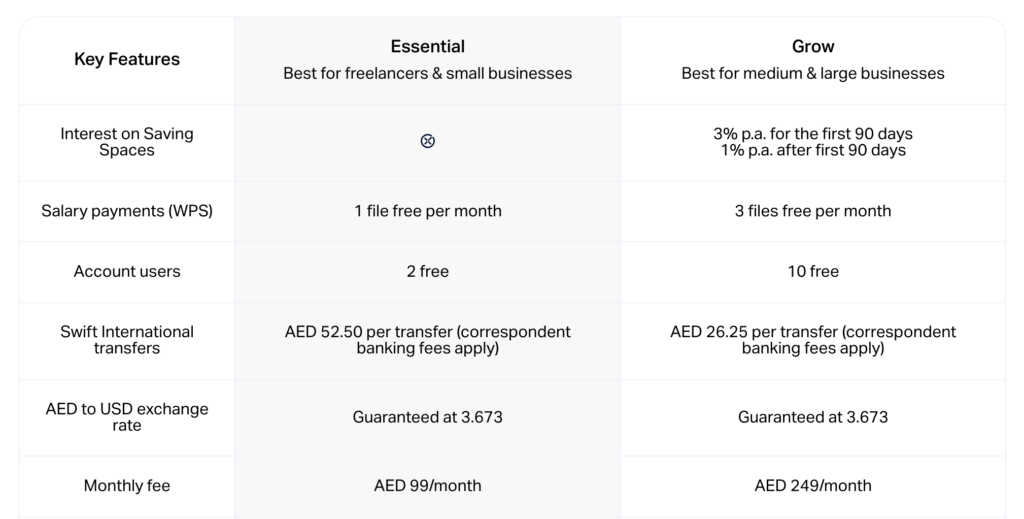
WIO Bank offers two affordable plans tailored to your needs: Essential and Grow. Vanguard Founder highlights the benefits of each plan to help you decide based on your business requirements.

Monthly Account Fees

  • Subscription fees begin 30 days after account activation.
  • Earn 3% annual interest on Saving Space balances for the first 90 days (valid until March 31, 2024), reverting to 1% thereafter.
  • Upgrade to the Grow Plan to enjoy added benefits for AED 249 per billing cycle.


Uploading Required Business Documents

Prepare the following documents for a smooth verification process:

  • Trade license
  • Memorandum of Association (MOA)
  • Proof of your business address
  • Passport-sized photograph


Personalized Support

Vanguard Founder offers tailored one-on-one consultations to help optimize your banking setup.

Leveraging WIO Bank for Business Growth

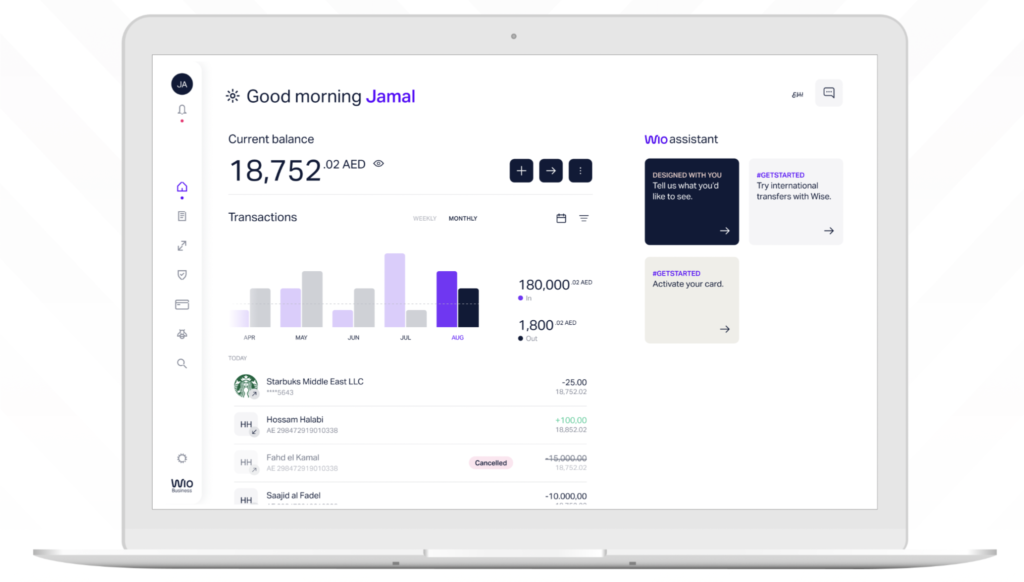
Transform your business operations with WIO Bank’s advanced features:
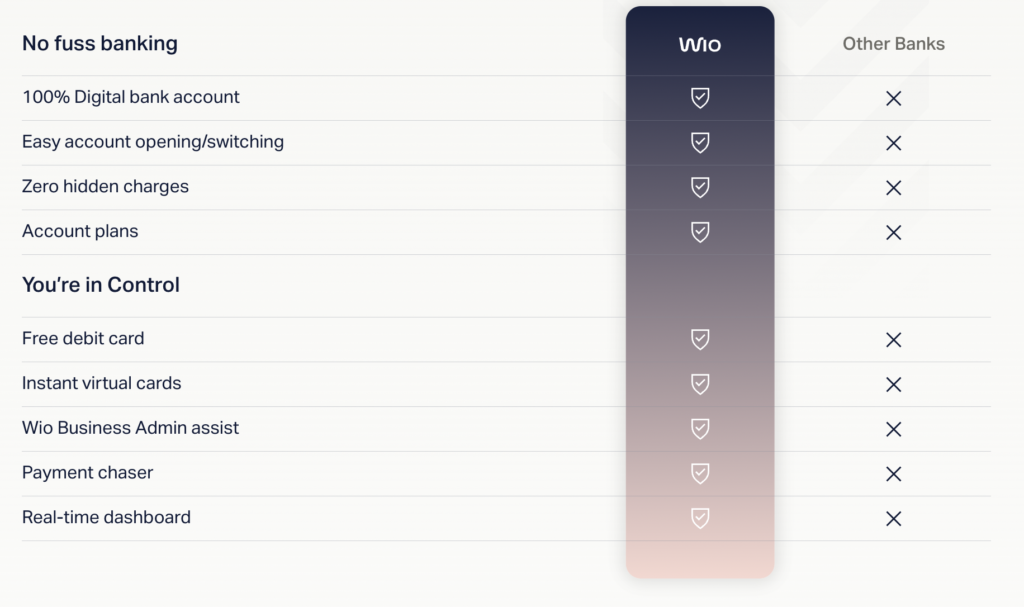
  • Team Account Access: Delegate access while maintaining full control.
  • Automated Admin: Simplify payments and invoicing with automation.
  • Virtual Cards: Manage expenses effortlessly with unlimited virtual cards.
  • Streamlined Payments: Pay securely with WIO Business cards and Apple Pay.
  • Global Reach: Operate globally with multi-currency accounts (USD, EUR, GBP) and enjoy guaranteed exchange rates for AED to USD conversions.


Conclusion

Vanguard Founder and WIO Bank make setting up a business account in Dubai simpler than ever. Follow this guide to ensure a hassle-free process and unlock new opportunities for your business. Empower your financial future today with WIO Bank.